How to Make an AI Halloween Video in 2026 (Photo to Clip)
A step-by-step guide to making a Halloween AI video from one photo: the right portrait, the prompt, the scene, the cost and the mistakes to avoid in an evening.
 Crazy Frog AI Video Team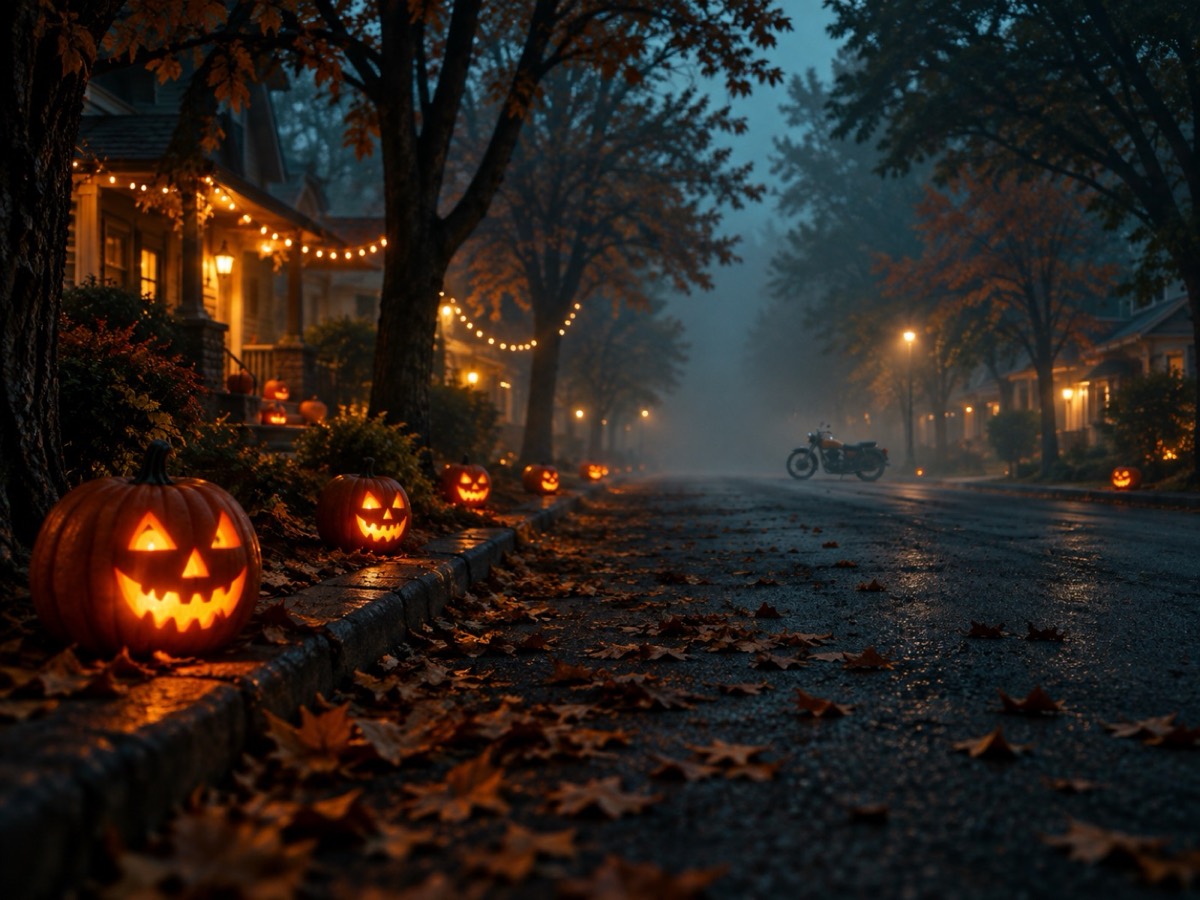
Try it on this page
Only upload photos of yourself or people who agreed to appear. No celebrities or minors.
Keep the invisible-motorcycle idea in the prompt. Describe the rider, the road and the chase.
480p · 12s costs 15 credits. 720p · 12s costs 30 credits. 1080p · 12s costs 60 credits. Longer clips scale and round up.
This clip: 15 credits · 13 clips/month on Pro ($39.90) or 160/year ($319).
Halloween is the one week when an absurd, five-second video can outperform a carefully produced ad. The costume is the hook, the face is the proof, and the platform rewards anything that makes someone stop scrolling. An AI Halloween video is the fastest way to get all three without a camera, a crew or a costume that only arrives on 30 October.
This guide is the process we use on this site, written so you can repeat it. It covers the photo that actually works, the scene that reads at a glance, the prompt structure that keeps your face intact, what it costs, and the failure modes that waste credits.
What you need before you start
Three things: a portrait, a scene, and a reason to post. The reason matters more than people admit. “It is Halloween” is not a reason; “our team is doing a costume contest” or “I want a clip for my costume brand” is.
The portrait is the only input that affects likeness. A front-facing photo with even light, no sunglasses and the whole face visible gives the model enough information. A tiny face in a group photo, a hat pulled over the eyes, or a heavy beauty filter removes information, and the model fills the gap by inventing a face. That is where the uncanny results come from.
The scene can be pre-written. You do not need to direct the camera, choose a lens or describe the light. Pick a Halloween street, upload the portrait, and the action is already there: the crouch, the look back, the mid-air flip and the getaway.
Step 1: choose the photograph
Open your camera roll and look for a photo that meets four tests:
- The face is at least a third of the frame.
- The light is even, with no hard shadow across the eyes.
- The person is facing the camera, not turned to the side.
- Nothing covers the eyes, eyebrows or hairline.
If the best photo fails one of these, fix it before uploading. Crop to one person. Brighten a dark shot. Remove a filter that has softened the skin into a mannequin. These are normal photo-editor jobs, and they improve the video more than any prompt tweak.
Do not upload a photo of someone else without permission. Do not upload a child’s photo unless you are the parent or guardian. The moderation step is real, but it is not a substitute for consent.
Step 2: pick the Halloween scene
The Halloween scene on this site is a suburban street at dusk: carved pumpkins on the kerb, string lights between trees, warm porch light and a cold blue sky. The rider crouches on an invisible motorcycle, a police officer on a white hover-bike follows, and the clip ends with a flip and an escape.
That specific scene is doing a lot of work. It gives the viewer a season, a joke and a payoff in the first second. A generic “spooky background” gives them none of those. If you want a different scene, change one thing — the costume, the colour of the light, the time of day — and leave the action alone.
Step 3: add one costume detail
The prompt box is optional, but one sentence can make the clip feel custom. Good additions are large shapes: a pointed hat, a cape, glowing seams, a coloured wig, a mask. Bad additions are fine detail: lace, jewellery, small props, text on a shirt. Video resolution eats detail, so a big shape survives and a small one disappears.
Examples that work:
- “A tall pointed witch hat and a dark green cape.”
- “A glowing skeleton print on the jacket.”
- “Long silver hair and a black velvet collar.”
- “A pumpkin-orange scarf and round sunglasses.”
Keep it to one sentence. If you rewrite the camera and action lines, the clip usually becomes less reliable, not more.
Step 4: choose the frame and length
Vertical 9:16 is the default because TikTok, Reels and Shorts are vertical. Use 16:9 if the clip is going into a YouTube video or a website hero. Use 1:1 only if the destination crops to a square.
Twelve seconds is the standard length and the best value: 15 credits at 480p. Five seconds is cheaper but often cuts the flip. Fifteen seconds gives the joke room to breathe but costs more and increases the chance of a drift late in the clip. Start with twelve.
Step 5: generate, watch once, then decide
A render usually takes one to three minutes. When it finishes, watch it once without editing. Ask three questions:
- Does it read as the same person?
- Does the joke land in the first second?
- Is there a visible artefact — an extra hand, a floating motorcycle, a face that changes mid-clip?
If the answer to all three is yes, download it. If the likeness is off, try a clearer photo before changing the prompt. If the action is wrong, check that you did not overwrite the scene description. If there is an artefact, regenerate; AI video is probabilistic and a second attempt often fixes a one-off glitch.
The prompt structure that keeps a face intact
Every reliable image-to-video prompt has the same five parts:
- Reference. “Use the provided image as the exact visual reference and starting composition.”
- One motion. “The subject slowly turns their head toward the camera.”
- Environment motion. “Soft fog drifts through the street.”
- Camera. “The camera performs a slow, smooth push-in.”
- Locks. “Keep the face, costume and body proportions consistent. Do not add characters or cuts. No text or watermarks.”
The order matters. The model weights early clauses more heavily, so identity and the main action come first. The negative list comes last because it is a constraint, not a creative instruction.
What it costs, and how to avoid wasting credits
A standard 480p, 12-second clip costs 15 credits. A one-time pack with 15 credits is $9.90. 720p costs 30 credits and 1080p costs 60 for the same length. Longer clips scale linearly.
There are no free credits. Failed renders are refunded automatically, so a moderation rejection or a provider timeout does not cost you anything. The credits you can waste are the ones spent on a bad photo. Test the still first: a one-credit costume preview tells you whether the face and the look read before you spend 15 on motion.
Posting the clip
The render has no audio. Add a licensed sound inside TikTok, Reels or YouTube Shorts; the original “Axel F” recording is not included and should not be ripped from another upload. Keep the first frame clean — the clip already starts in the riding pose, so a title card only costs you the first second.
Write a caption that gives the viewer a role: “tag the friend who would do this”, “our whole team is doing this”, “which costume should I wear?” A question outperforms a description because it gives people a reason to comment.
The five mistakes that ruin a Halloween AI video
A group photo. The model picks one face and blends the rest. Crop first.
A dark portrait. The model guesses the eyes. Use daylight or a ring light.
Too many instructions. A paragraph of costume, camera and story directions produces a muddled clip. One motion, one scene.
A tiny costume detail. Lace and jewellery vanish. Use a silhouette.
Posting without sound. A silent clip in a sound-led feed gets skipped. Add a licensed track.
Frequently asked questions
How long does it take? Most clips finish in one to three minutes.
Can I make one without a photo? Yes, from a text prompt, but the person will be invented rather than you.
Can I use it commercially? Yes. The clip is watermark-free and the licence allows commercial use.
What if I hate the result? Change one variable at a time: the photo, then the costume sentence, then the length. Do not rewrite everything at once.
Will it look exactly like me? It reads as the same person in motion when the source photo is clear. It is not a deepfake-grade identity clone, and that is a feature: the result is a stylised meme, not a synthetic record of you.
Ready to try it? The AI Halloween video generator boots with the scene already selected. If you want to test a costume first, the costume generator costs one credit and takes about a minute. And if you want the exact wording used here, the Halloween prompt library has twelve copy-ready recipes.