A dozen prompts that already work: costumes, pets, couples, haunted portraits and short video clips. Copy one, paste it into the tool on this page, and swap only the details you care about.
A good Halloween prompt has five parts: what to preserve, what to change, where the subject stands, what the light is, and what to avoid. Most one-line prompts fail because they only describe the change.
The prompts on this page are written for image-editing models and for image-to-video models. They keep the face and the number of people, then change the costume and the scene.
You can run any prompt here in the studio on this page. Each still costs one credit; a 12-second video costs 15 credits at 480p.
Photos are moderated and only used for this render.
Keep the identity and “avoid” lines. They are what stop the model from inventing a new face.
Frame
Sign in to upload and render. Your first pack starts at $9.90.
What it looks like
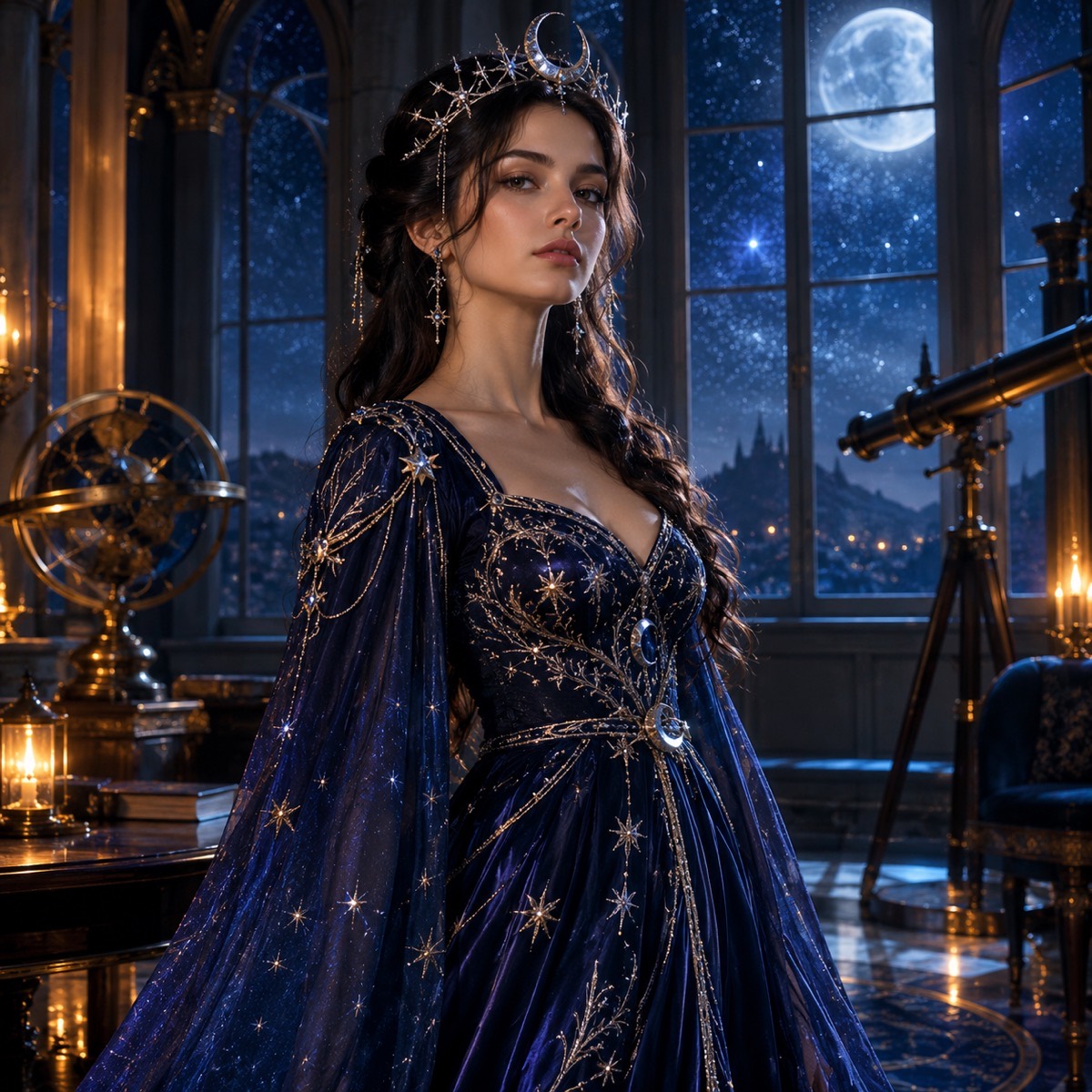
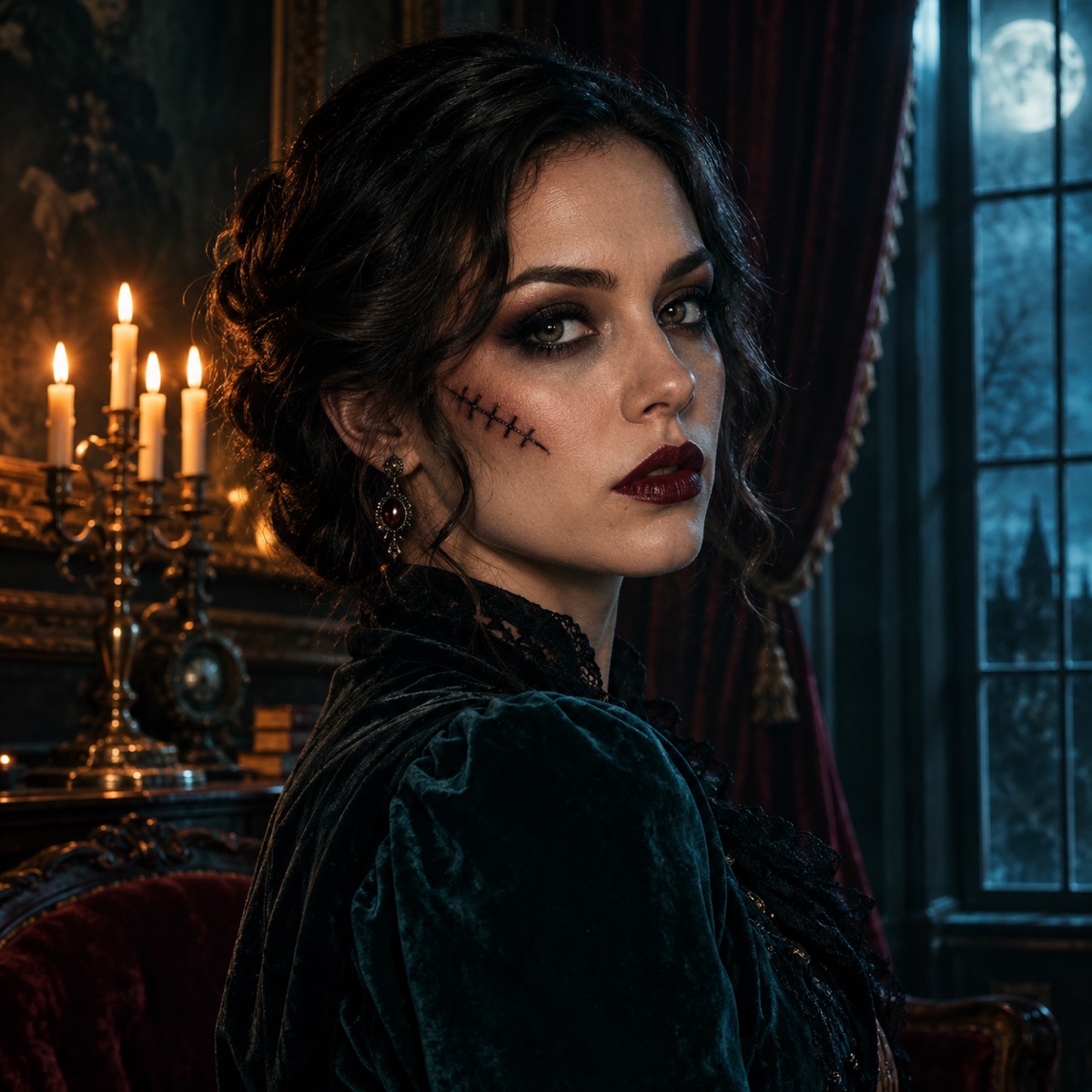
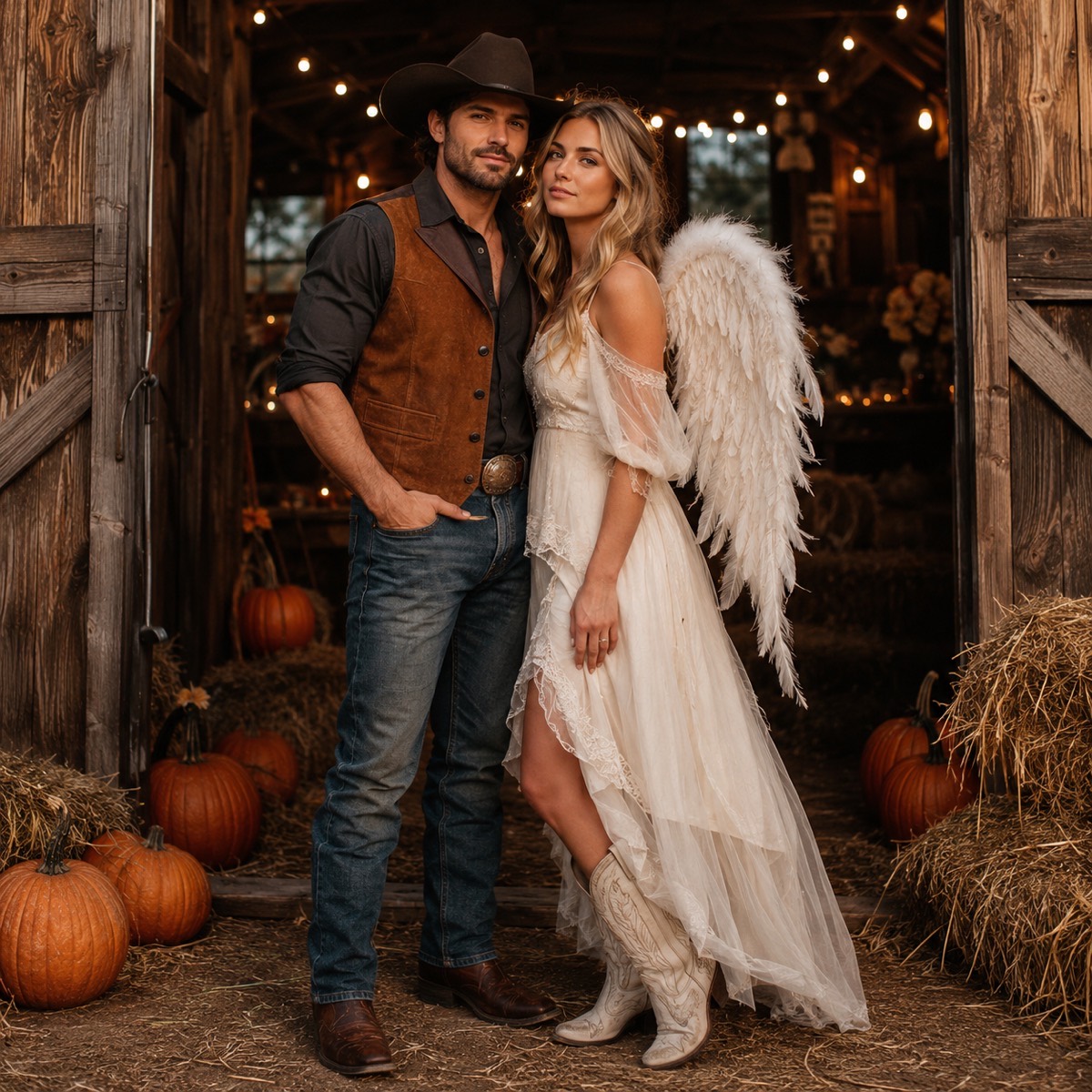
Cosmic Princess — the prompt is in the library above.Haunted Portrait — makeup, not gore.Cowboy & Angel — two photos, two identities, no swaps.
The five-part prompt skeleton
Every recipe on this page follows the same order. Preservation first, because identity is the part users notice immediately. Then the change, then the setting, then the light, then the negative list. If you only remember one thing, remember the order: the model weights the early clauses more heavily.
A prompt is not a wish list. Each sentence should either protect something or change something. “Make it spooky” changes nothing the model can measure; “place the subject under a cold blue porch light with carved pumpkins behind them” does.
Preserve: face, skin tone, age, body proportions, number of people.
Light: time of day, direction, colour temperature, shadow quality.
Avoid: extra limbs, merged faces, text, logos, watermarks, gore.
Image prompts and video prompts are different jobs
An image prompt can ask for a whole new scene because it only has to produce one frame. A video prompt has to keep that frame coherent for several seconds, so it should ask for less: a head turn, a blink, drifting fog, a slow push-in. Big action — running, dancing, a costume change — is where anatomy breaks.
The last two prompts in the library show the pattern. Describe the reference image, name the one motion, describe the environment’s small movement, describe the camera, then lock identity and forbid cuts.
How to use these prompts here
Pick a recipe, press Copy, then paste it into the prompt box in the studio on this page. Upload one or two photos if the recipe expects them. The tool charges one credit per still and 15 credits for a standard 12-second video.
If a result is close but not right, change one clause at a time. Changing three things at once tells you nothing about which change helped.
Prompt library
Copy a recipe and paste it into the studio above. Keep the preserve and avoid clauses; change the costume, colour or setting.
Midnight Braids — gothic portrait
Best for a vertical portrait with a dark, editorial mood.
Use the uploaded photo as the primary reference. Preserve the subject's recognizable facial identity, facial proportions, skin tone, approximate age and natural anatomy. Change the hairstyle into long violet braids decorated with delicate silver hair accessories. Replace the clothing with an elegant black-and-purple velvet outfit with subtle lace and metallic details. Place the subject in a moonlit Victorian garden with soft fog, glowing lanterns and dark autumn foliage. Use photorealistic editorial photography, realistic fabric textures and cinematic soft lighting. Keep the same number of people. Avoid altered facial identity, extra limbs, duplicated fingers, distorted anatomy, text, logos and watermarks.
Cosmic Princess — celestial gown
A brighter look that still reads as Halloween.
Edit the uploaded photo into an original celestial Halloween princess portrait. Preserve the subject's recognizable face, natural skin texture, body proportions and pose. Replace the outfit with a midnight-blue fantasy gown featuring silver embroidery, softly glowing star patterns and realistic flowing fabric. Add a delicate silver moon crown and luminous accessories. Place the subject inside a moonlit observatory with a starry sky visible through tall windows. Use elegant fantasy fashion photography, cinematic rim lighting, and a deep-blue, silver and violet palette. Keep the person recognizable. Avoid altered facial identity, extra people, distorted anatomy, text or watermarks.
Halloween Robot — wearable costume
The face stays human; only the costume becomes mechanical.
Using the uploaded photo as reference, transform the subject into a futuristic Halloween robot costume portrait. Preserve the subject's recognizable face, skin tone, head proportions and original pose. Create a realistic wearable robot costume with metallic-looking armor panels, subtle blue LED accents and articulated shoulder pieces. The outfit should look like a believable costume worn by a real person, not a new mechanical character. Use dramatic blue-and-orange cinematic studio lighting and realistic material reflections. Do not replace the subject's face with a robot head. Avoid extra limbs, distorted hands, duplicated body parts, logos and text.
Pumpkin Pet — pet costume
Works for cats and dogs; keeps the breed and markings.
Use the uploaded pet photo as the primary reference. Preserve the animal's original breed, fur color, distinctive markings, eye color, facial appearance and natural anatomy. Dress the pet in a soft pumpkin-inspired Halloween costume with a small green leaf accessory. Keep the costume fitted naturally without covering the animal's eyes or changing its species. Place the pet in a cozy autumn photography studio with warm lighting and miniature pumpkins. Create a photorealistic professional pet portrait with realistic fur texture and natural shadows. Avoid extra animals, unnatural paws, duplicated limbs, text and watermarks.
Cowboy & Angel — couple portrait
Two photos, two identities, exactly two people in the output.
Use the two uploaded photos as identity references. Photo one is the cowboy, photo two is the angel. Preserve both faces exactly: same facial features, skin tone, hair color and body proportions, and do not swap the two people. Dress the first person in a western cowboy costume with a hat, suede vest and boots. Dress the second person in a soft white angel costume with feathered wings and a subtle halo. Place them side by side in a warm autumn barn doorway with hay bales, string lights and pumpkins. Use photorealistic editorial photography, natural expressions, consistent scale and realistic fabric. Keep exactly two people. Avoid a third person, merged faces, extra limbs, text and watermarks.
Haunted Portrait — tasteful makeup
Halloween makeup without gore, so it still works on a profile photo.
Edit the uploaded photo into a cinematic haunted-house portrait for Halloween. Preserve the subject's recognizable face, skin tone and natural anatomy. Add tasteful Halloween makeup: smoked eyes, a subtle stitched scar on one cheek and deep burgundy lips. Replace the background with a dim Victorian parlor: dusty velvet curtains, a candelabra, a gilt mirror and cold moonlight through a tall window. Use soft directional light from the left, realistic skin texture, shallow depth of field and a muted teal-and-amber grade. Keep the same number of people. Avoid horror gore, altered identity, extra people, text and watermarks.
Forest Witch — moss and candlelight
A safer group-costume option that does not need props.
Edit the uploaded photo into a forest witch portrait. Preserve the face, skin tone, age and body proportions. Dress the subject in layered charcoal and moss-green robes with a wide-brim hat, dried flowers and a silver pendant. Place them in a foggy pine forest at blue hour with floating candle lanterns and a faint circle of chalk symbols on the ground. Use cinematic fantasy photography, soft volumetric light and realistic wool and leather textures. Keep exactly one person. Avoid cartoon styling, altered facial identity, extra people, text and watermarks.
Glow-in-the-Dark Dinosaur — pet
The 2026 pet-costume trend, without painting the animal.
Use the uploaded pet photo as the primary reference. Preserve the animal's breed, fur or skin, markings, eye color and natural anatomy. Dress the pet in a glow-in-the-dark dinosaur costume: a soft green hood with rounded spikes, a small tail and faint luminous seams. Keep the costume comfortable and do not cover the eyes. Place the pet on a dark studio floor with soft UV-green rim light and a few paper bats in the background. Use photorealistic pet photography, realistic fur texture and clean shadows. Avoid extra animals, changed species, glowing eyes, duplicated limbs, text and watermarks.
Halloween Night Ride — image to video
Use after a still exists; keep the motion small.
Use the provided image as the exact visual reference and starting composition. Create a continuous five-second cinematic Halloween portrait animation. Keep the subject’s recognizable face, costume, hairstyle and body proportions consistent with the reference. The subject slowly turns their head toward the camera with a subtle mysterious expression. A gentle breeze moves loose hair strands and the edges of the clothing. Soft fog drifts through the moonlit garden. The camera performs a slow and smooth push-in. Maintain realistic motion, stable anatomy and consistent lighting. Do not change the person’s identity, replace the costume, add characters or introduce sudden scene cuts. No text or watermarks.
Pumpkin Patch Walk — image to video
A pet-friendly motion prompt with a locked camera.
Use the provided image as the exact reference. Animate a calm three-second shot of the pet sitting in the pumpkin studio. The pet blinks, flicks one ear and turns its head slightly toward a sound off-camera. A small paper bat drifts past in the foreground. Keep the same breed, fur markings, costume and body proportions. The camera stays locked with a very slow push-in. Warm practical lighting, realistic fur movement, no new animals, no costume changes, no text and no watermarks.
Black Friday Poster — text only
A no-photo prompt for a sale graphic or story cover.
Create a premium Black Friday sale poster for an AI video studio. Deep charcoal background with a subtle green glow, one bold cinematic motorcycle silhouette in the lower third, floating price tags and abstract speed lines. Leave a clean empty rectangle in the centre for a headline. Use a limited palette of charcoal, lime green and warm white, crisp geometric shapes, realistic studio lighting and generous negative space. No words, no letters, no logos, no watermarks.
Couple Costume — matching silhouette
For two photos where the costumes should read as one set.
Use the two uploaded photos as identity references and preserve both faces exactly. Dress both people in a coordinated vampire costume set: matching black velvet capes with deep red lining, high collars and subtle silver clasps. Place them in front of a foggy stone archway with two candelabras. Use a symmetrical composition, both people at the same scale, cinematic red-and-charcoal lighting and realistic fabric. Keep exactly two people and do not swap their identities. Avoid a third person, merged faces, extra limbs, text and watermarks.
How it works
1
Copy a recipe
Start from a prompt that already protects identity and lists the failure cases.
2
Paste and adjust
Change the costume colour or the setting. Leave the preserve and avoid clauses intact.
3
Run it here
One credit per still. The same prompt can seed a video once you like the frame.
Questions
Can I use these prompts in Gemini, ChatGPT or Midjourney?
Yes. They are plain English and do not depend on this site. The results will differ by model, but the structure — preserve, change, place, light, avoid — transfers.
Why are the prompts so long?
Because the constraints are the product. A short prompt leaves identity, costume details and anatomy to chance; the long version names what must not change.
Do I need a photo for every prompt?
No. The Black Friday poster prompt is text-only. The costume and pet prompts work best with a photo because they are identity-preserving edits.
Can I sell images made with these prompts?
The site licence allows commercial use and the output has no watermark. Check the model provider’s terms as well if you plan to resell the image itself as a product.
How do I turn a still into a video?
Use the image-to-video prompts at the end of the library. Keep the motion small: a head turn, a blink, drifting fog and a slow camera move.
See the look before you buy it
Upload a photo, choose a look, and download the still. One credit, no watermark, commercial use.