12 Top AI Halloween Photo Ideas for Instagram in 2026
Twelve Instagram-ready Halloween photo ideas for 2026, the source-photo rules that keep your face intact, and the captions that fit each shot on the grid.
 Crazy Frog AI Video Team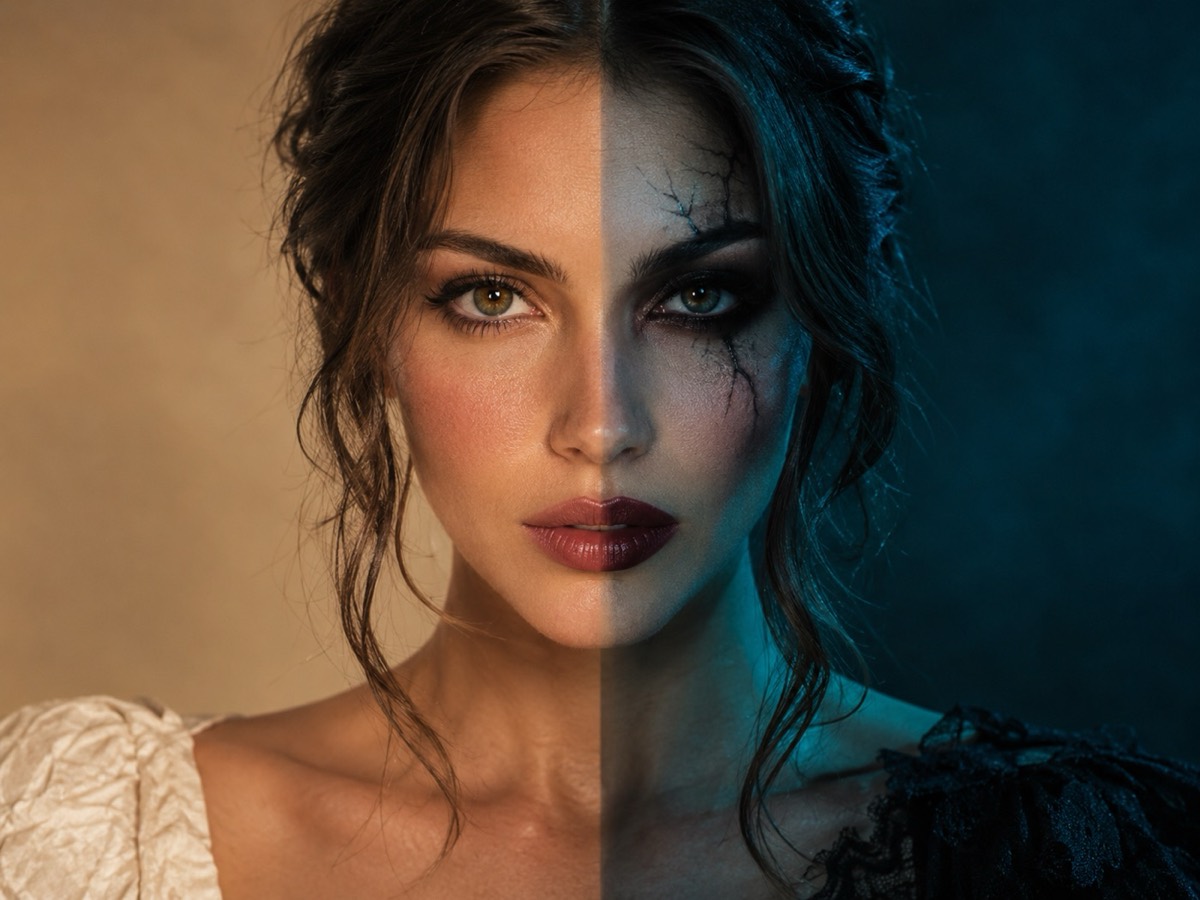
Try it on this page
Photos are moderated and only used for this render.
Keep the identity and “avoid” lines. They are what stop the model from inventing a new face.
Sign in to upload and render. Your first pack starts at $9.90.
The best Halloween Instagram post is not the most elaborate costume. It is the one that reads in a thumbnail, looks like you, and has a caption someone can reply to. AI photo tools make the first two cheap to test; the third is still writing.
This guide has twelve shots built for the feed, the photo rules that keep identity intact, and a caption line for each. All of them use the still-image tools on this site, where one render costs one credit.
Before the twelve shots: the source photo
Every result inherits the source. The rules are short:
- Face the camera. A three-quarter turn works; a profile does not.
- Even light. Window light or a ring light. Harsh overhead light carves shadows the model will keep.
- One person. Crop out friends, mirrors and busy backgrounds.
- No sunglasses, no mask, no hair across the eyes. The model needs the eyes to keep the face.
- Shoot at chest height. A low-angle selfie stretches the jaw; the model reproduces the distortion.
A clean phone photo beats a professional portrait with a hidden face. If you already have a costume portrait from the costume generator, use that as the source for a second edit.
Twelve shots for the feed
1. The mirror reveal. Half the frame is your everyday reflection, half is the costume. It is the most saved format because people want to try it themselves. Caption: “same person, one credit.”
2. The pet co-star. Your costume portrait next to the pet portrait, same palette. Two renders, one carousel. Caption: “he understood the assignment.”
3. The couples’ poster. Two coordinated portraits in one wide crop, styled like a film poster. Caption: “casting done, filming optional.”
4. The Victorian portrait. Dark velvet, candlelight, a serious expression. The contrast with a normal feed is the point. Caption: “currently haunting the group chat.”
5. The cartoon-to-real. A crude costume sketch in slide one, the generated portrait in slide two. The gap is the joke. Caption: “the sketch had potential.”
6. The decade swap. The same face as a 1920s ghost, a 1970s disco vampire and a 2026 cyber witch. Three renders, one row. Caption: “which decade is winning?”
7. The pumpkin patch. You in costume, surrounded by carved pumpkins, shot wide. Best used as a grid anchor. Caption: “picked the loud one.”
8. The haunted house realtor. A straight-faced portrait in front of an obviously haunted house, framed like a real-estate listing. Caption: “open house, midnight only.”
9. The group shot. Generate the couple first, then add one person per edit. Do not ask one prompt for five faces. Caption: “the group chat finally agreed on something.”
10. The Black Friday teaser. A charcoal-and-lime product still with your face out of frame. Works for a shop account between Halloween and the sale. Caption: “the drop is not the costume.”
11. The meme portrait. Your face in the invisible-motorcycle crouch, framed as a reaction image. Caption: “me leaving the party at 9:15.”
12. The before-and-after carousel. Original selfie, generated portrait, then a close crop of the eyes to show the face survived. Caption: “no face swap, just lighting.”
Composition rules that survive the crop
Instagram shows a post at roughly 4:5 in the feed and 9:16 in stories. Generate at 1:1 or 9:16 and leave room around the head; a portrait that fills the frame edge-to-edge gets cropped at the chin or the forehead.
Keep one clear subject. A generated background with three focal points competes with the face. If the scene is busy, ask for a shallow depth of field or a plain backdrop.
Do not put text in the image. Generated lettering is still unreliable, and Instagram captions are more accessible and more searchable anyway. If you need a title, add it in the app.
Captions that earn replies
The caption has one job: give people a reason to comment. Three patterns work:
- A question with two answers. “Cowboy or angel?” beats “Happy Halloween.”
- A confession. “I made this instead of buying the costume.”
- A useful promise. “Prompt is in the comments.”
Ask one question, not three. Reply to the first ten comments within the hour; that is when the post gets most of its distribution.
Hashtags still help discovery but they are not a growth strategy. Use five to eight specific tags — the costume, the city, the format — rather than twenty generic ones. Put them in the first comment if the caption looks cluttered.
Label AI images honestly
Instagram and TikTok both expect AI-generated media to be labelled where the platform offers the control. Add the label. The novelty is the point; the deception is not. A small “AI-generated” note also protects you if a customer or a friend sees their likeness in a post they did not approve.
Do not generate a portrait of someone else without their permission, and do not present a generated image as a photograph of a real event. The tools on this site moderate uploads, but consent is still your responsibility.
A one-evening workflow
- Pick three shots from the list that fit one costume.
- Take one clean source photo.
- Render all three at 1:1 — three credits.
- Pick the best two; regenerate the one that missed.
- Write one caption and one question per post.
- Schedule them across three days, not one hour.
Six credits covers the whole test, and the $9.90 pack has fifteen, so there is room for a pet portrait and a couple shot in the same evening.
What not to do
Do not post twelve near-identical renders in one carousel. The feed rewards variety and the algorithm treats duplicates as one post. Do not promise a costume people can buy if the image is generated. And do not chase a trend after its peak; a Halloween format posted in November reads as late.
If a render looks wrong, change the source photo before rewriting the prompt. Nine times out of ten the face drifted because the input was dark, tilted or crowded.
Ready to shoot? Open the Halloween photo editor for the single-portrait looks, the costume generator for a full outfit, or the couple generator for the matching post. The prompt library has the full text for every style, and the TikTok ideas guide covers the video version.